
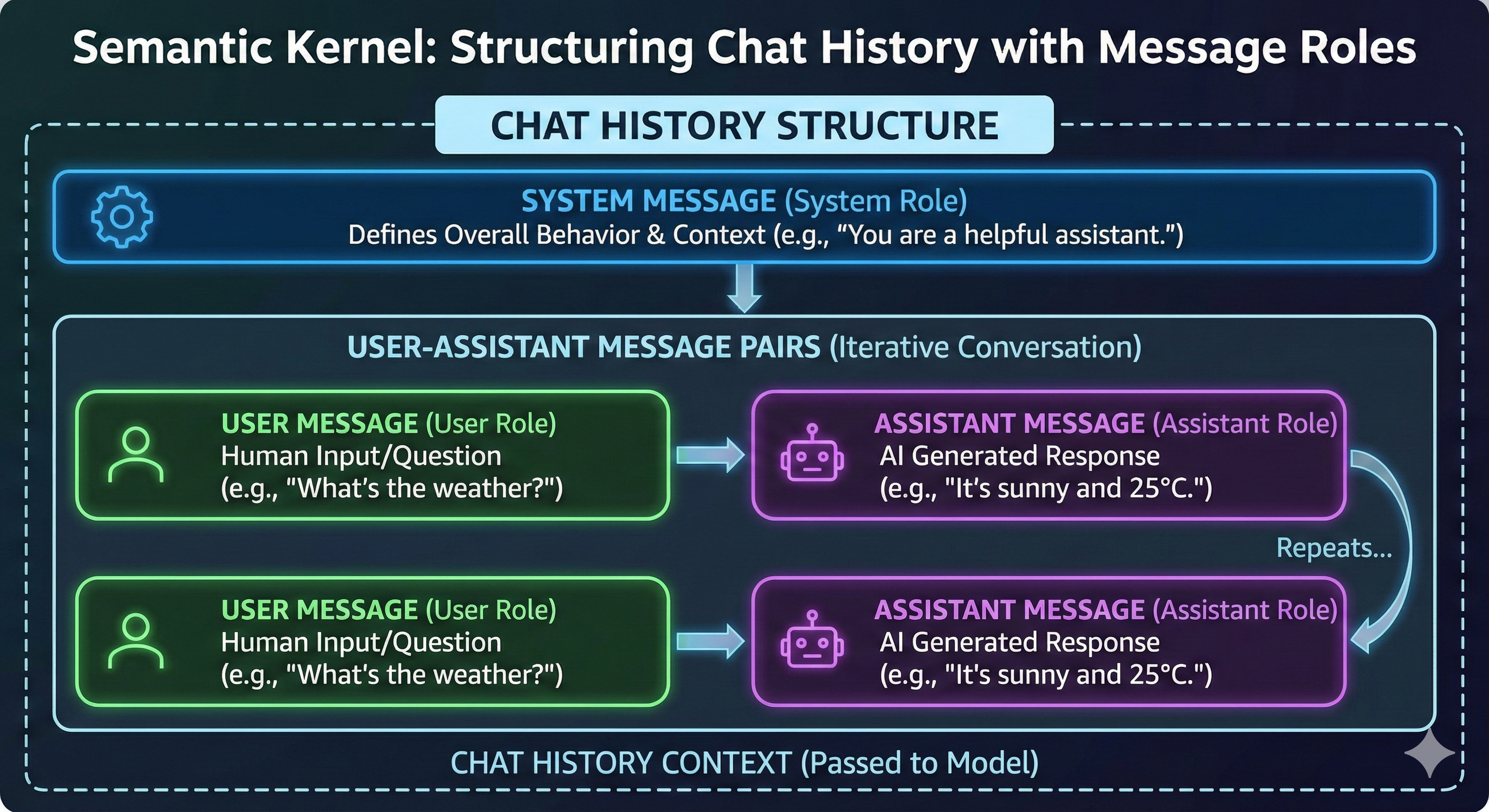
Building Context with Chat History in Semantic Kernel
In the world of Generative AI and Large Language Models (LLMs), statefulness is the key to creating natural, human-like interactions. Without context, every prompt is a "first meeting." In the Semantic Kernel ecosystem, this continuity is achieved through Chat History.
As we build sophisticated agents, understanding how to manage this "short-term memory" is vital for maintaining coherent conversations and ensuring the model remains within its operational boundaries.
The Role of Chat History
Chat History is essentially a record of transactions—pairs of queries and responses—between the human user and the AI model. In Semantic Kernel, this is represented as a sequence of messages. Its primary functions include:
- Context Preservation: Maintaining the "thread" of conversation so the AI can reference previous statements.
- State Management: Keeping track of the current progress of a task or dialogue.
- Structure Enforcement: Ensuring the conversation follows a logic that the LLM can interpret correctly.
Structuring Conversations with Message Roles
To make sense of the data, Semantic Kernel categorizes every message into specific Roles. This structure informs the model about the origin and intent of the text.
| Role | Purpose |
| System | Defines the "persona," rules, and constraints for the AI. It sets the behavior for the entire session. |
| User | Represents the input from the human operator. |
| Assistant | Contains the model's generated responses based on the prompt context. |
| Tool | Used specifically for function calling, where the assistant invokes external tools to perform tasks. |
The Anatomy of a Prompt
A typical, well-structured Chat History begins with a System Message. This acts as the foundation. Following this, the conversation evolves through alternating pairs of User and Assistant messages.
While not strictly mandatory in every single edge case, adhering to this User -> Assistant -> User pattern is the gold standard for preventing model confusion and maintaining logical flow.
Managing the Context Window
One of the most critical challenges in AI development is the Context Window. LLMs have a maximum input size limit. If the Chat History grows too large, the model may "forget" the beginning of the conversation or fail to process the latest query entirely.
Proper management involves:
- Selection: Choosing which messages are essential to the current task.
- Compression: Summarizing older parts of the conversation to save space while retaining the essence of the context.
- Filtering: Removing redundant or "noisy" interactions that do not contribute to the goal.
The Power of Memory Manipulation
Interestingly, Chat History is not a "read-only" log. Developers can strategically implant or modify memories. By carefully manipulating the Chat History object, you can guide the AI's reasoning or correct its path. However, this must be done with caution—reckless manipulation can lead to a loss of continuity and "hallucinations" where the model loses its grip on the established facts of the conversation.